




Connect your Shopify store to Wooacry
Follow these steps to connect your Shopify store to your Wooacry account.
Step 1. Install the Wooacry Integration
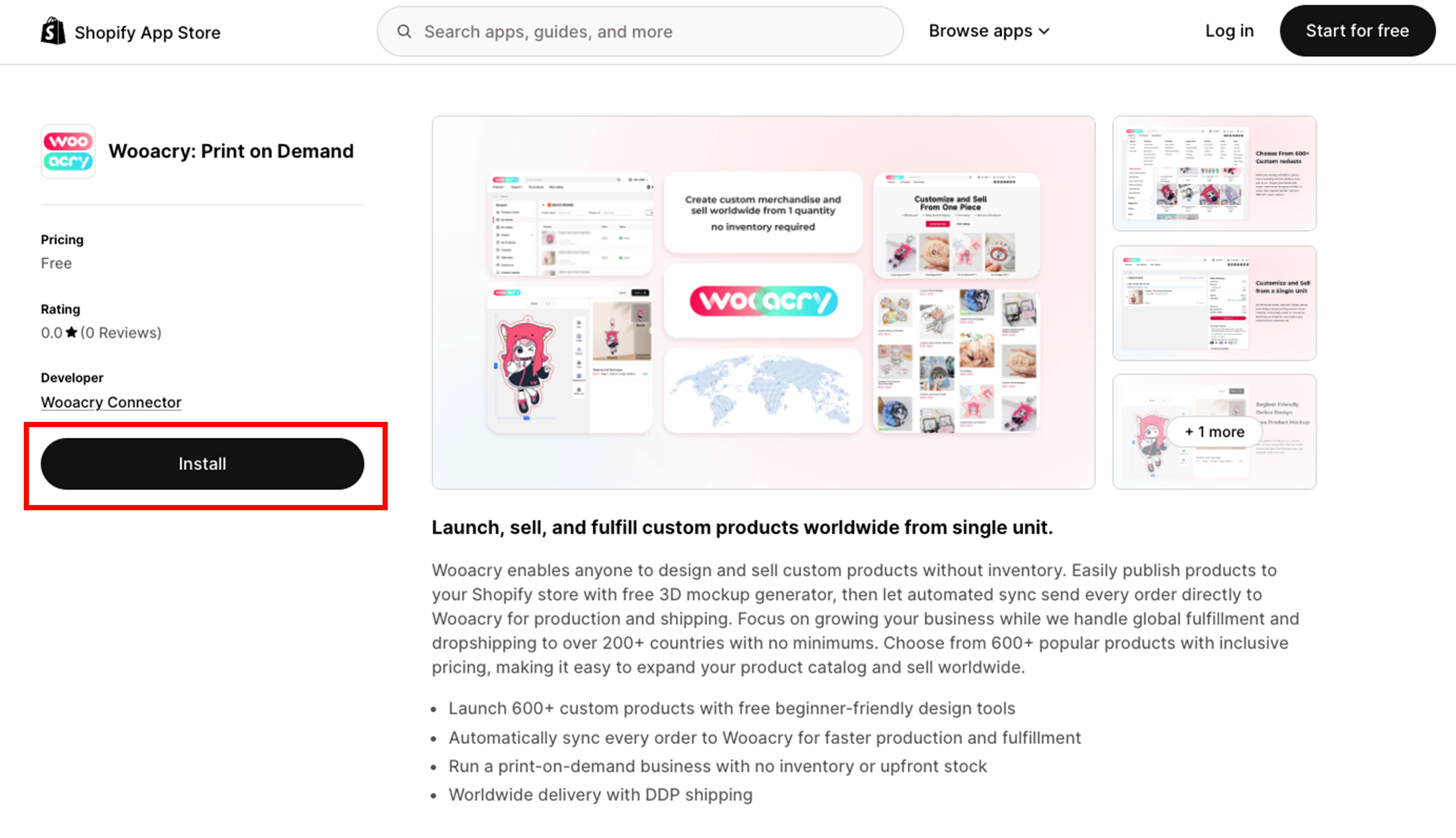
Click to get Wooacry app or search for “Wooacry Connector” in the Shopify App Store. Click Install
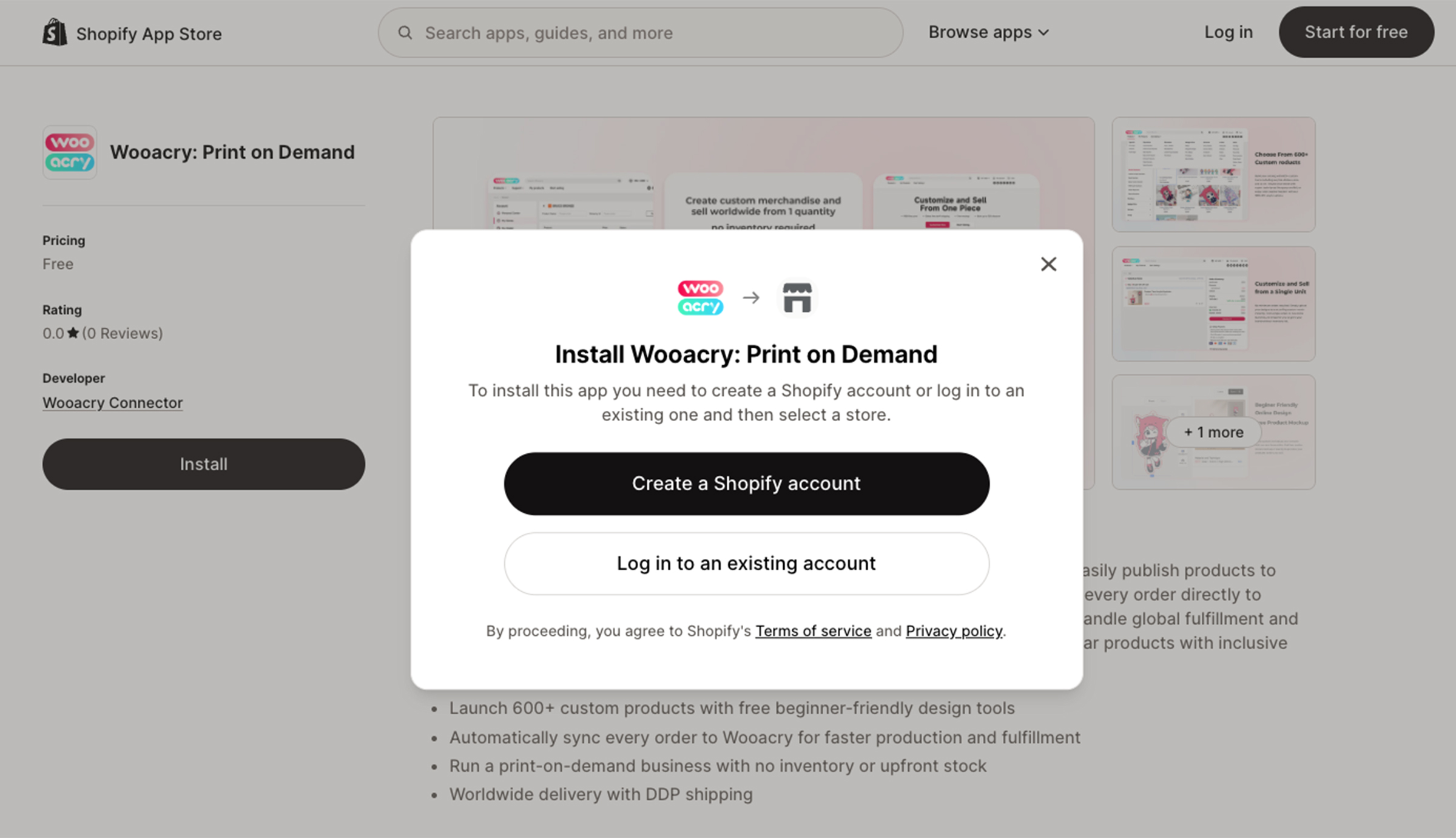
Create or sign in to your Shopify store if prompted.
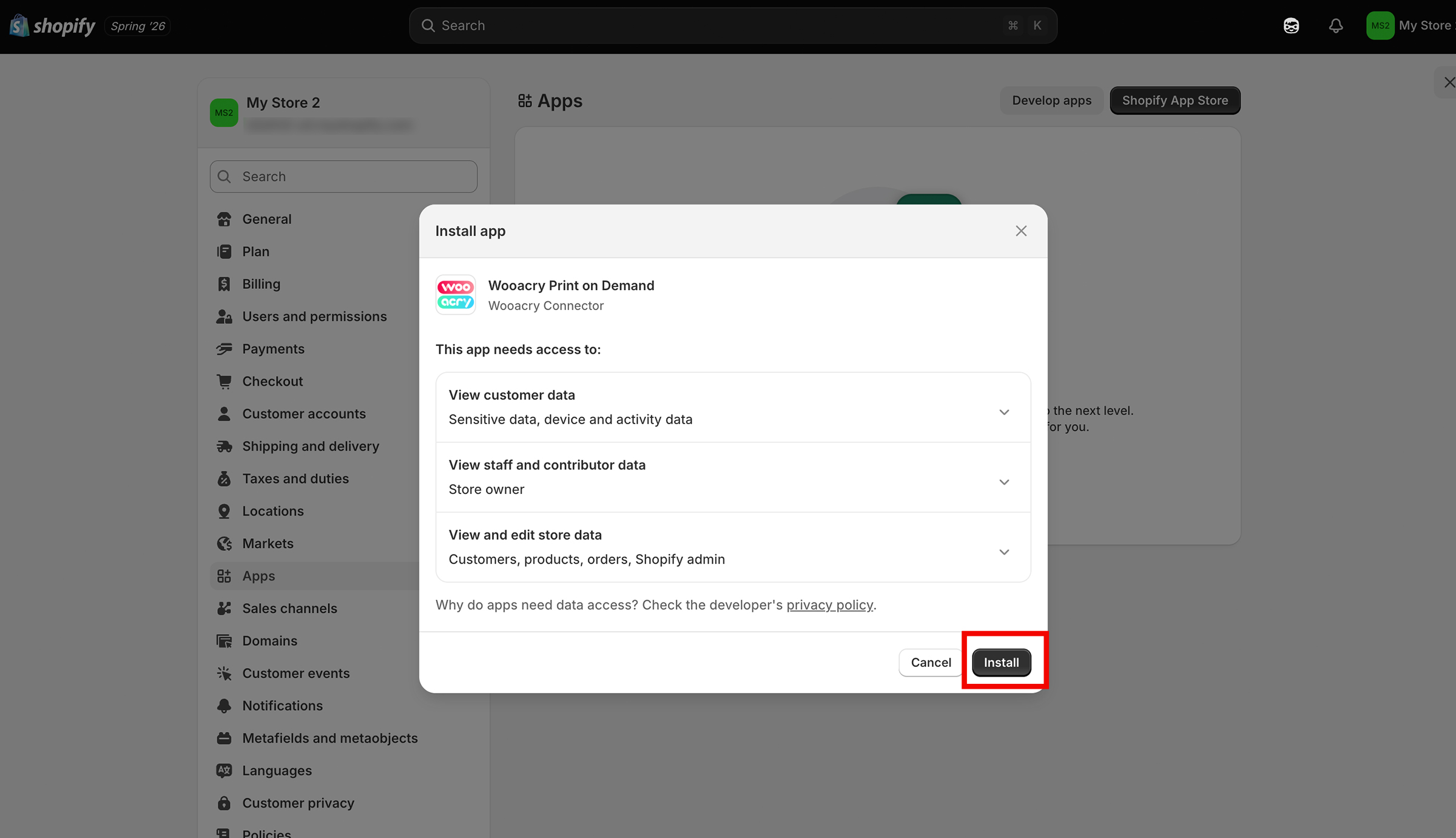
Click Install again to confirm the installation.
Step 2. Connect Your Store
After installation, you’ll be automatically guided to connect your Shopify store with Wooacry.
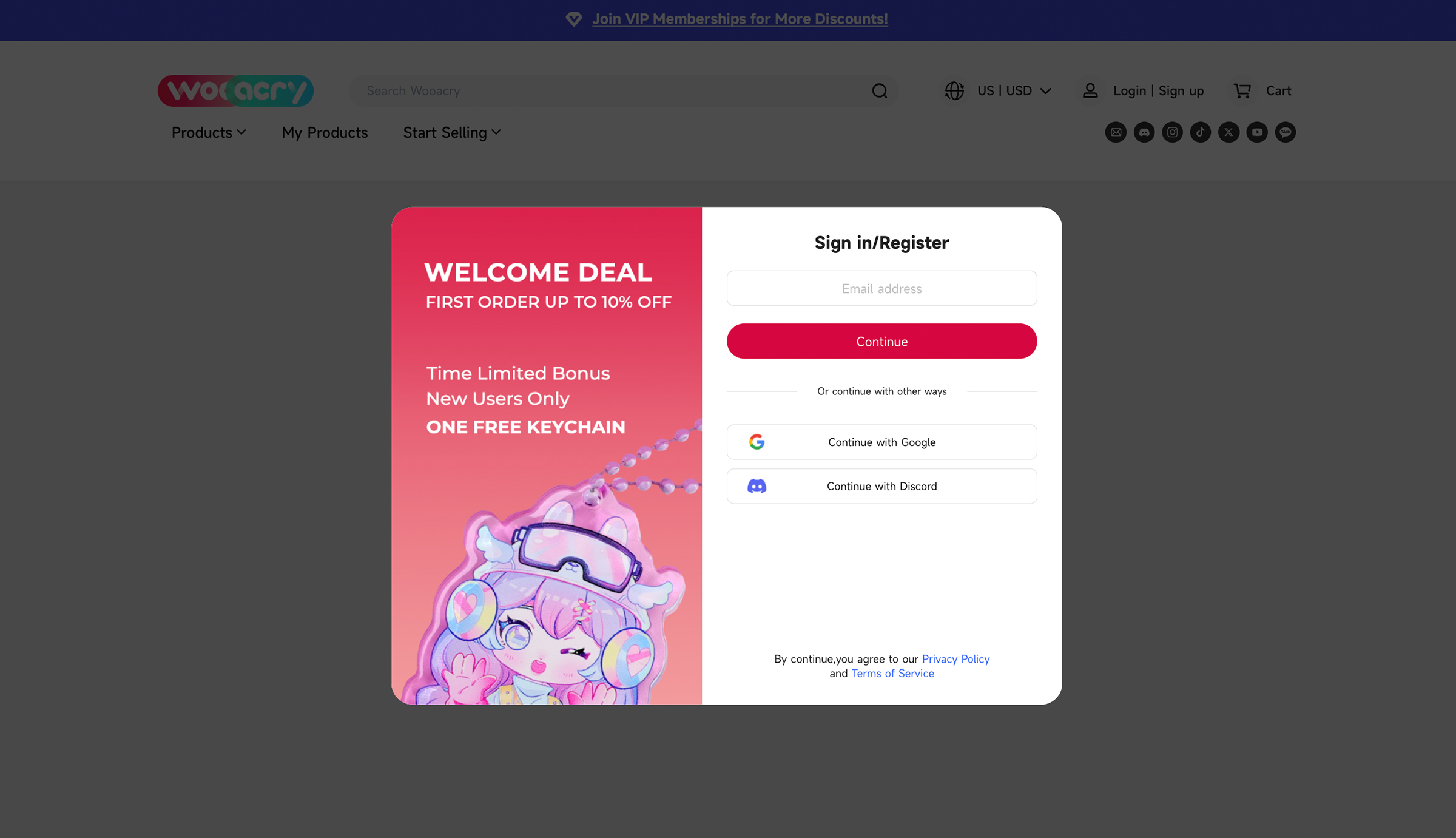
Create a Wooacry account or sign in to your existing account.
Click Confirm to authorize and connect your store.
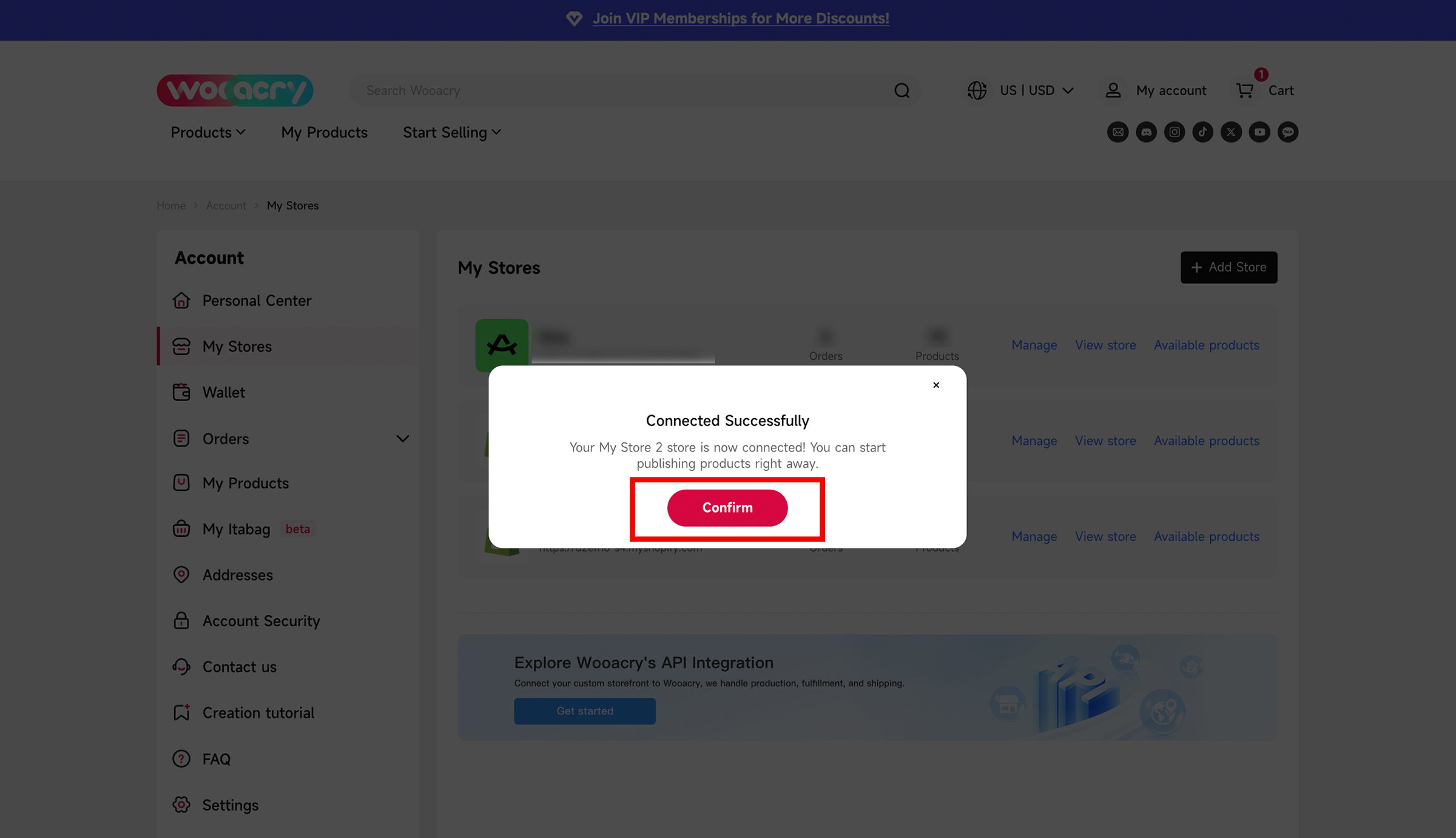
Step 3. Publish Products to Your Shopify Store
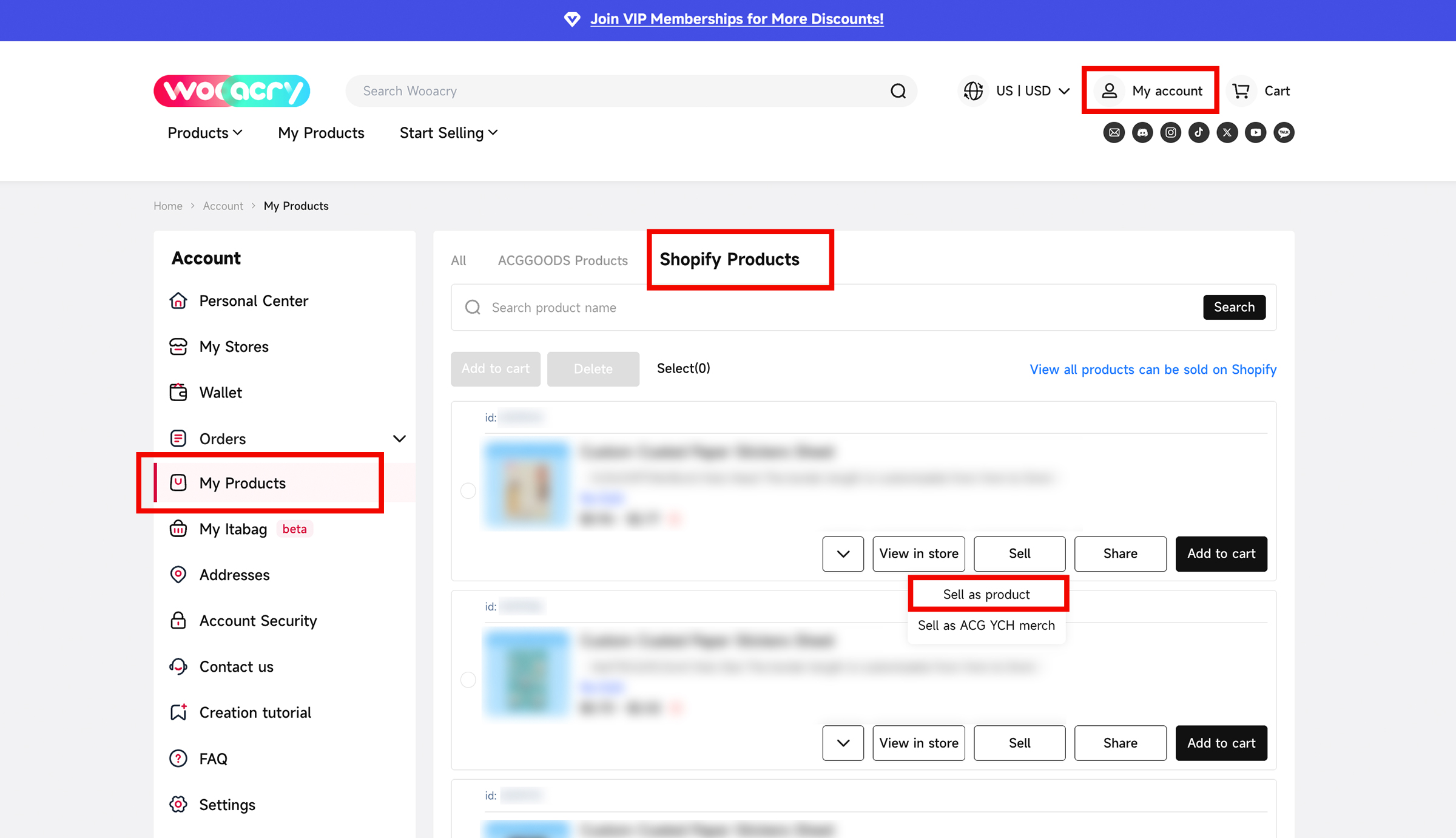
Go to My Account → My Products → Shopify Products to view all products available for Shopify.
Not sure what you can sell? Browse the Shopify product catalog to explore all available products.
Select the product you’d like to publish, then click Sell → Sell as Product.
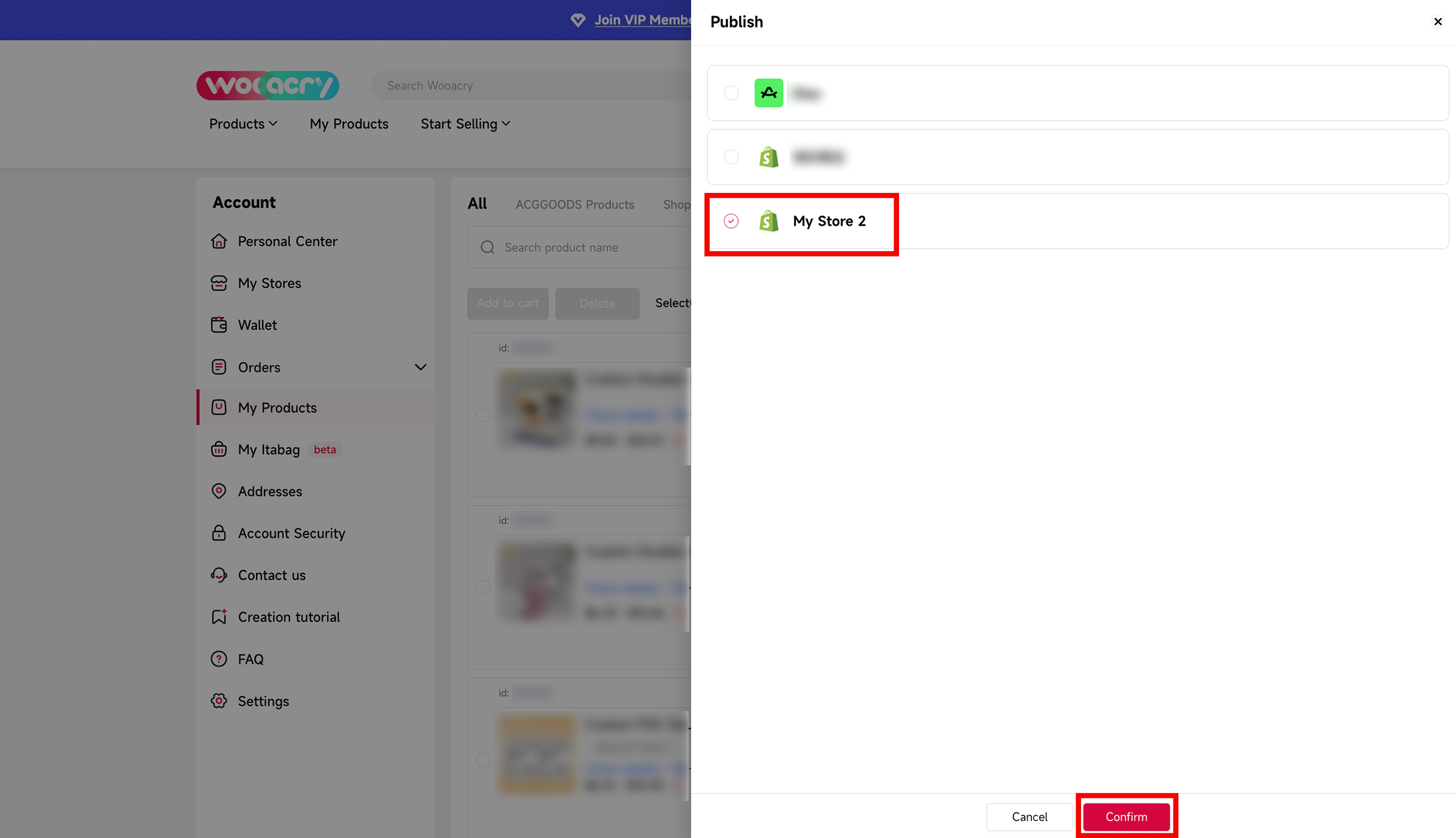
If you have multiple connected Shopify stores, choose the store where you’d like to publish the product.Click Confirm to publish it to your Shopify store.
Step 4. Complete Your Shopify Settings
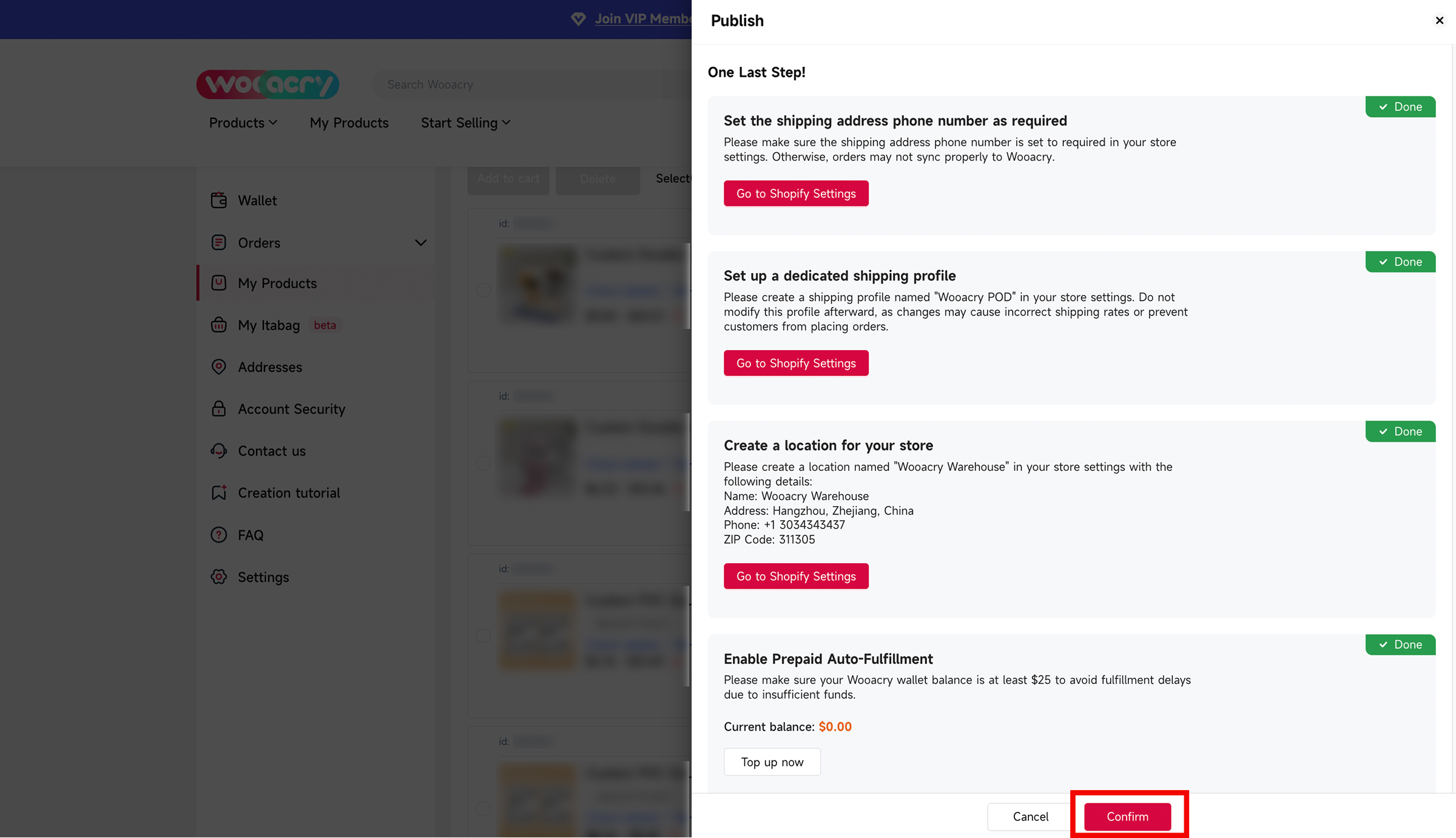
Before publishing your products, there’s one final step: make sure the following Shopify settings are completed.
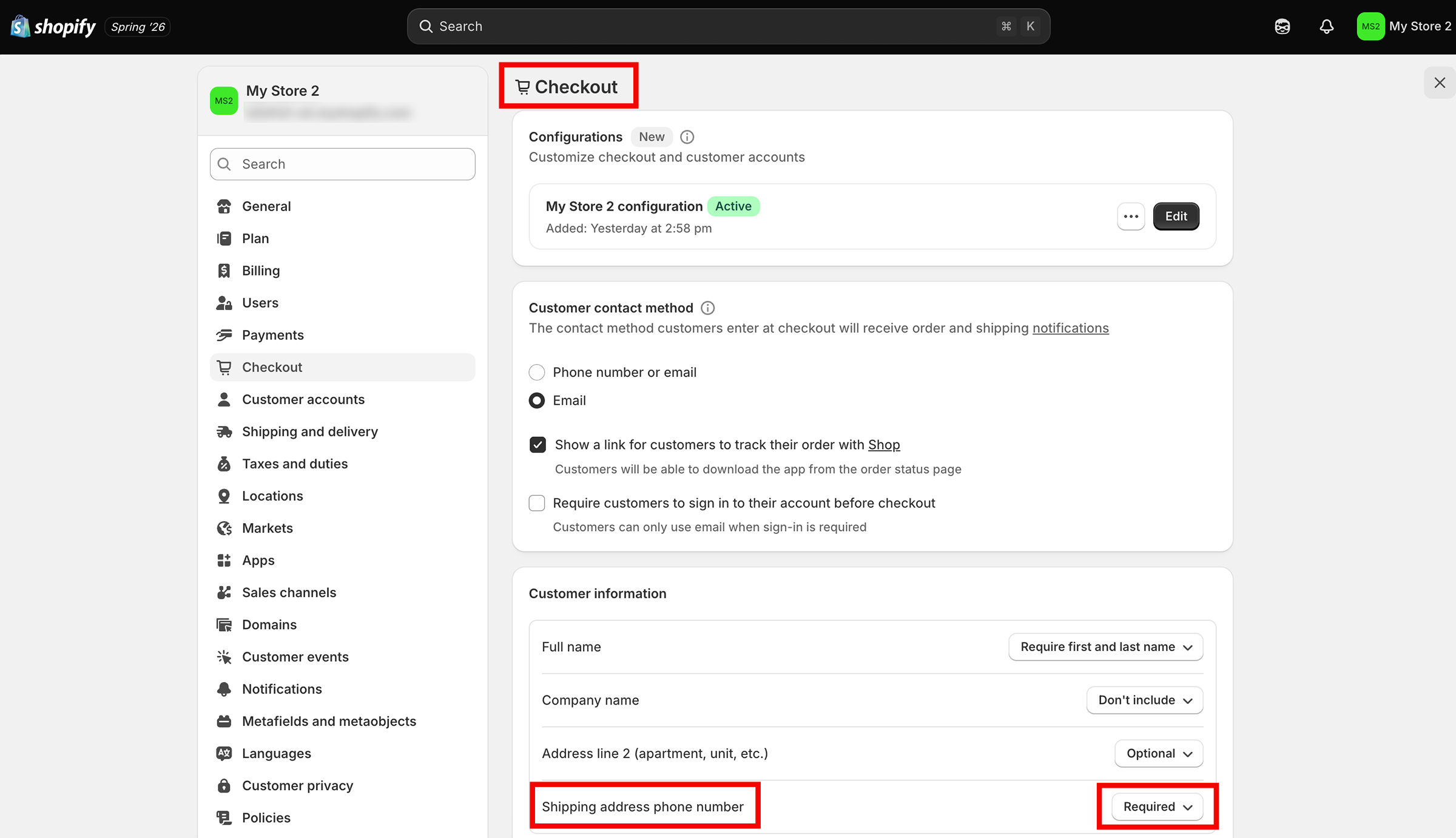
Set the shipping address phone number as required
Click Go to Shopify Settings → Checkout → Customer Information.
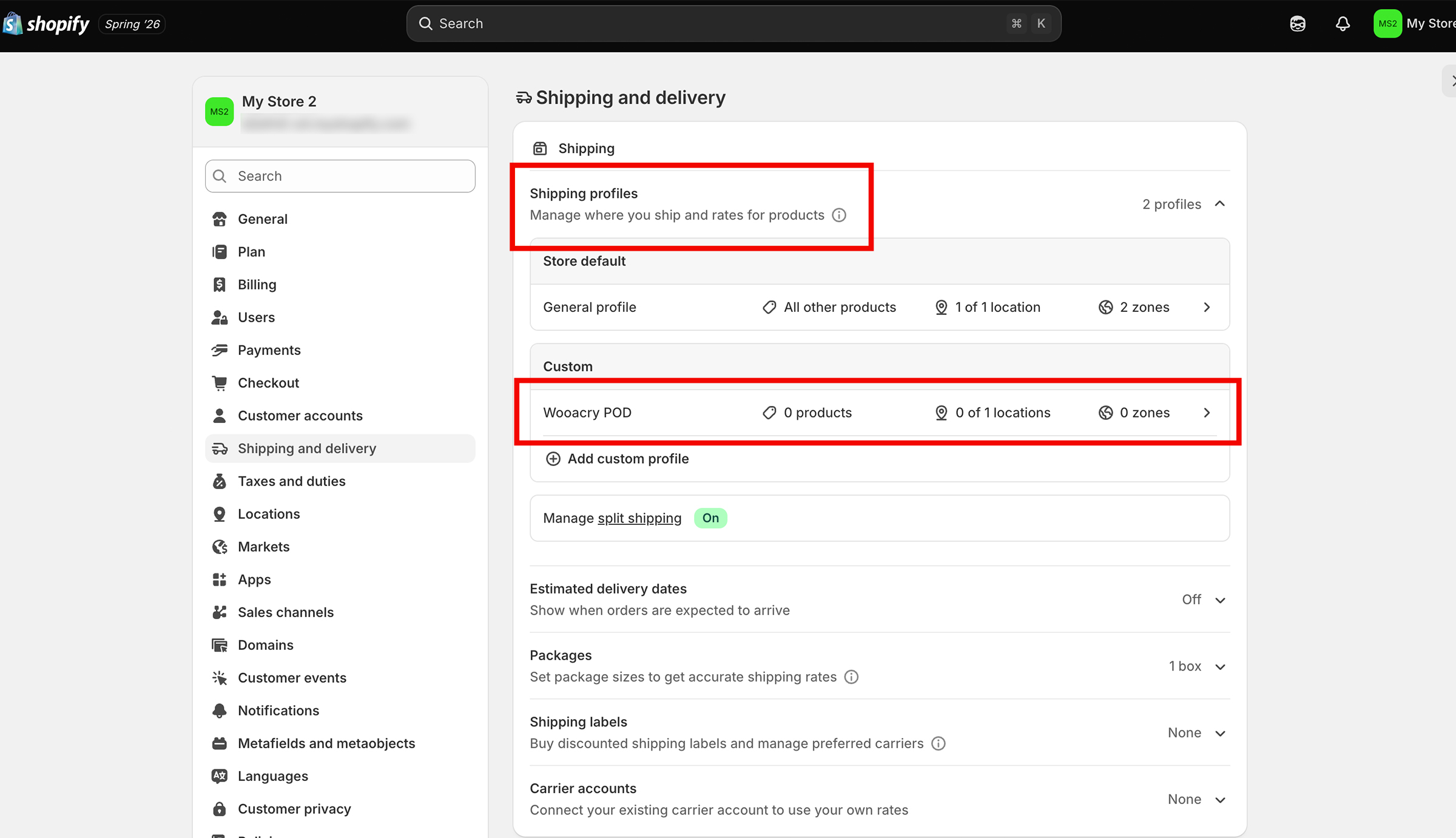
Create a dedicated shipping profile
Click Go to Shopify Settings → Shipping and Delivery → Shipping Profiles → Add Custom Profile.
Create a shipping profile named “Wooacry POD” in your store settings. Do not modify this profile afterward, as changes may cause incorrect shipping rates or prevent customers from placing orders.
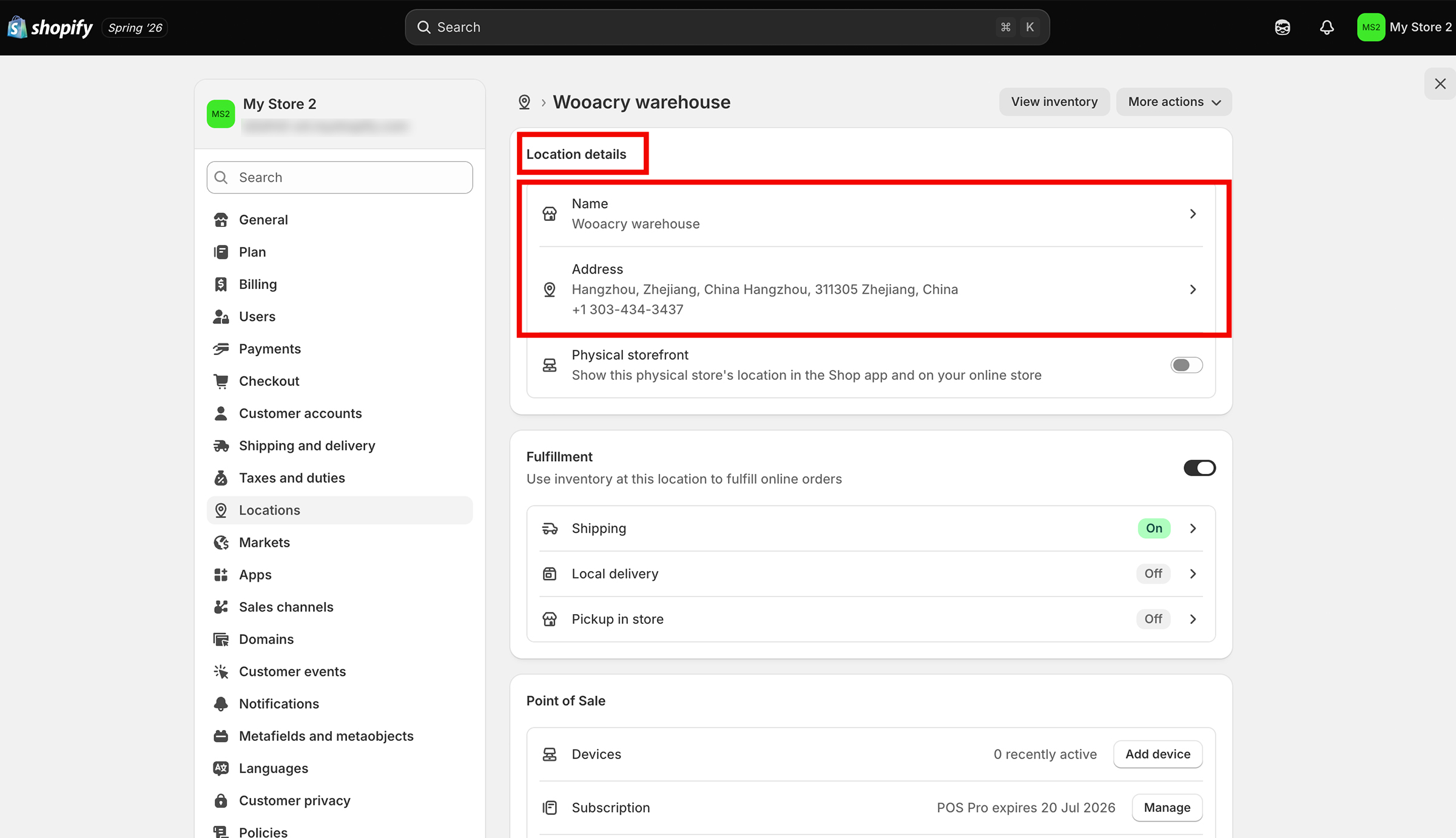
Create a location for your store
Click Go to Shopify Settings → Locations → Add Location.
Create a location named “Wooacry Warehouse” in your store settings with the following details:
- Name: Wooacry Warehouse
- Address: Hangzhou, Zhejiang, China
- Phone: +1 3034343437
- ZIP Code: 311305
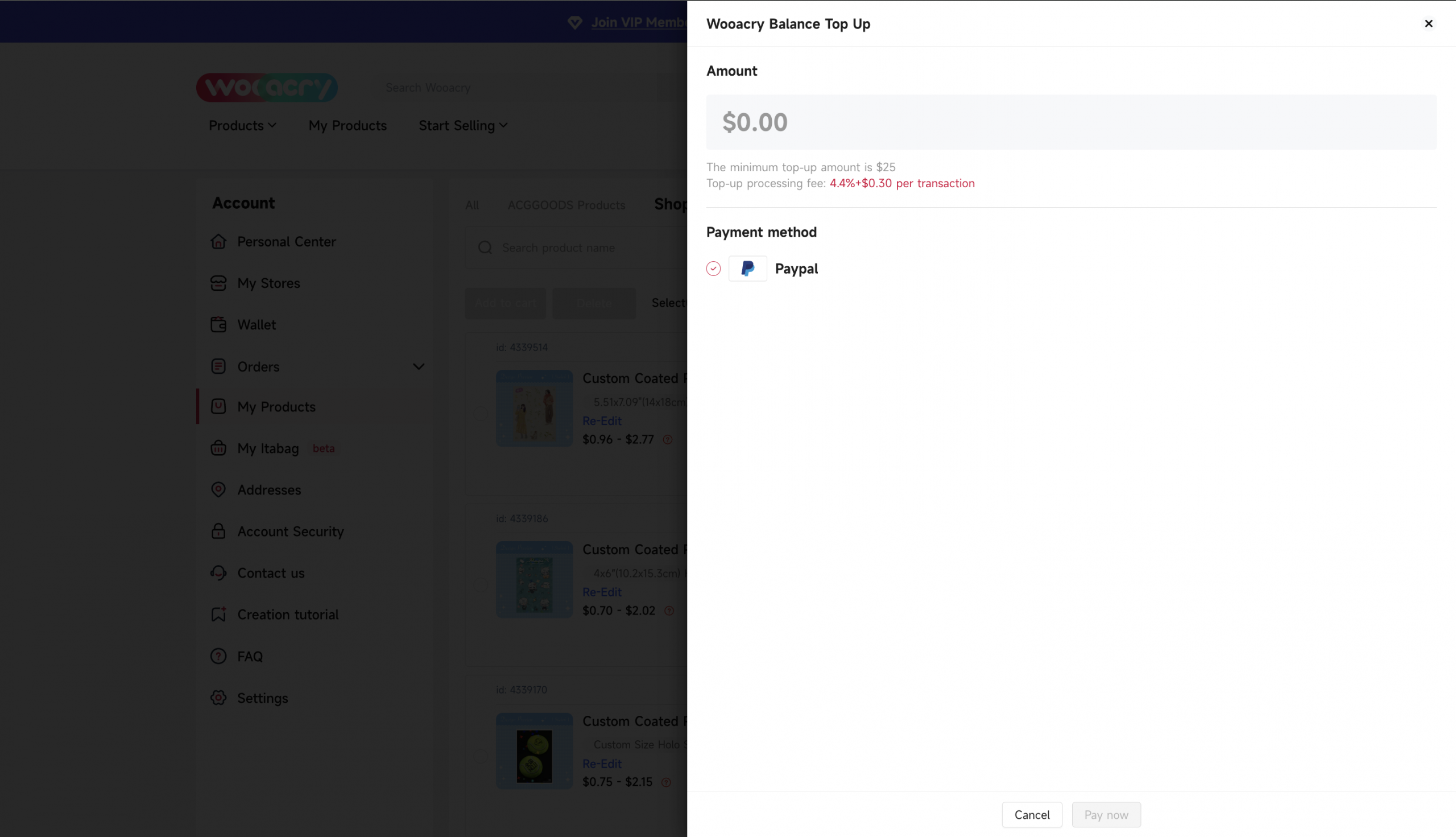
Enable Prepaid Auto-Fulfillment (Optional)
We recommend adding funds to your Wooacry Wallet to ensure your Shopify orders can move into production automatically after they sync. If your wallet balance is insufficient, synced orders will remain pending until funds are added.
This step is optional—you can click Skip and top up your wallet at any time.
Once you’ve completed each item above, click Confirm. You’ll then be able to edit your product details and publish products to your Shopify store.
Step 5. Manage Your Shopify Store in Wooacry
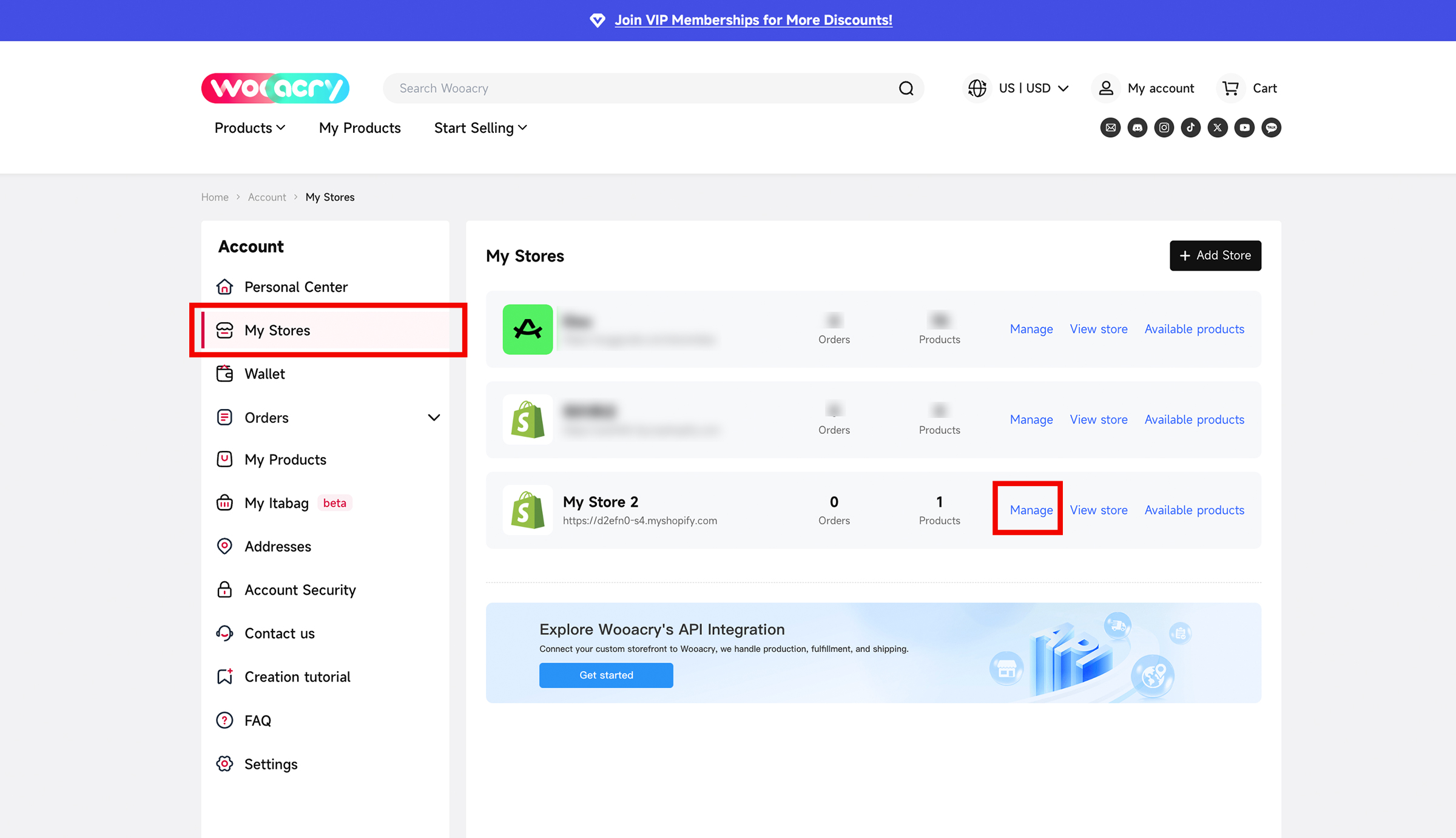
Go to My Account → My Stores → Manage to manage your connected store.
From here, you can:
- Change a product’s status (Active or Draft)
- Edit product details
- Preview products
- Share product links
Now you’re all set!
Your Shopify orders will now be automatically synced to Wooacry for fulfillment.
Need help? Contact us at support@wooacry.com anytime!